Wechat
Busuness account

Hey there, fellow gamers! Snake Clash provides competitive gameplay to its passionate player base through a fresh update of the traditional snake-format game. Users will love the game because it allows for an addictive combination of speed and entertainment.
On a quick break you launch Snake Clash, but your phone is overheating and battery drops fast. You still want smooth runs and stable ranks. Here’s a short, practical intro to Snake Clash plus how Redfinger cloud phone keeps you always ready. Snake Clash blends speed with strategy and short 2–5 minute matches, so small decisions snowball fast. With Redfinger, you can keep sessions online without draining your local device, switch between PC and mobile, and farm safely while commuting. For newcomers and veterans, this guide highlights core moves and a cleaner setup for consistent wins.
The nostalgic Snake Game from your past now offers multiplayer excitement, intense strategy, and superb graphics. That's Snake Clash!
This game aims to expand your snake by consuming food while defeating the competition. The more you expand your size, the more challenging the game becomes.
The combination of fast actions with strategic planning, as well as good luck, produces the necessary elements for dominating competition. It offers several interesting features. Let’s examine them.
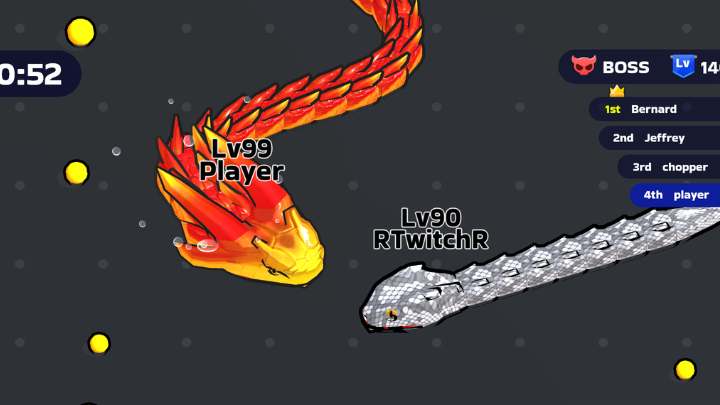
Immersive 3D Gameplay: The game offers fresh gameplay through its 3D dimension, so users experience animated visuals in an immersive gaming environment. The modern presentation of visuals and enhanced player experience make the game more visually attractive.
Challenging Boss Battles: The evaluation of player tactical abilities and reaction times takes place through challenging boss fights that act as finishing points in the game. Through demanding boss battles, the game extends its depth since players need to adapt their approaches during the progression.
Customization Options: The game enables players to modify their snake appearance by acquiring different skin types that can add to it. Snake Clash gives players choices for customization so they may express themselves in unique graphic looks that support their battling in fights.
Multiplayer Mode: Snake Clash features a real-time multiplayer mode, meaning players can battle against global participants in its competitive mode. The game maintains continuous excitement because players compete for superior positions on the worldwide leaderboards and attempt to beat rivals at each turn.
Offline Play: Snake Clash's developers delivered an offline gameplay feature to meet player requirements for flexibility. The game provides offline play because users can experience games at their convenience regardless of internet availability, thus enabling them to play without interruption, whether traveling or in a region with limited connectivity.
The game's combination of features delivers active entertainment to beginners and advanced players throughout their gaming sessions.
The Snake Clash download process takes only simple steps to give you instant game access. Here's how to get it for different operating systems:
Open the Google Play Store.
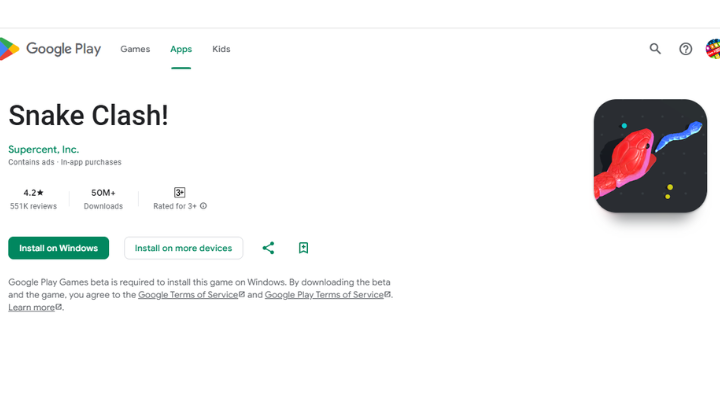
Search for the Snake Clash app. Find the original app. Its developer name is “Supercent, Inc.”
The game installation process can begin with Tap Install, followed by a waiting period for the game download.
After installation, start your journey by pressing the Play button.
Proceed to download Snake Clash through the Apple App Store.
The search bar enables you to find the application name. Find the original game and click get.
Verify your Apple ID and wait for the download to complete.
You can download the game for Windows from the Play Store as well by following the same method shared above. However, you will need Google Play Games beta to install this game on Windows.
After playing Snake Clash, you need strategies to improve your performance. The expert strategy below will make you an elite player in Snake Clash.
1. Movement is Everything
The exact and continuous motions of snakes allow them to navigate without experiencing risk or interference. In-game movements should be performed with looping motions at selected intervals because sudden turns result in dangerous situations. The snakes need to keep their position at a maximum distance from others to allow unrestricted movement.
2. Don't Rush to Grow Too Fast
Many Snake Clash players quickly consume food to develop their snake position, but this eating method does not lead to better gameplay. The speedy enhancement of the snake's body reduces its agility. The key to survival requires champions to keep a stable relationship between their body size and movement speed.
3. Use Boosts Wisely
Boosts in Snake Clash provide valuable functions to avoid traps and strengthen offensive capabilities. Excessive use of Boosts in Snake Clash may reduce your mass and expose you to attacks.
4. Stick to the Outer Edge
The perimeter regions of the map provide the best starting point since they allow room for snake growth and food collection. First, players should begin activities in the middle field but must progress toward outer map areas for skill-building.
5. Trick Your Opponents
The success formula in Snake Clash becomes possible through strategic planning in combination with deceptive tactics for better field positioning. By precisely controlling snake formations and positioning techniques, opponents will make dangerous moves against you.
6. Watch and Learn
People who watch professional Snake Clash players develop their skills by observing reaction patterns, decision points, and strategic tactics. When you adapt professional Snake Clash strategies to your gameplay, testing various approaches will lead to discovering your most effective strategy.
To succeed, you need continuous training and improvement while becoming an inspirational example for others in your field.
Unlock the ultimate Snake Clash experience with the Redfinger Cloud Phone. It offers seamless, lag-free gameplay on high-end virtual devices. You can even play the Snake Clash's unblocked version safely as well.
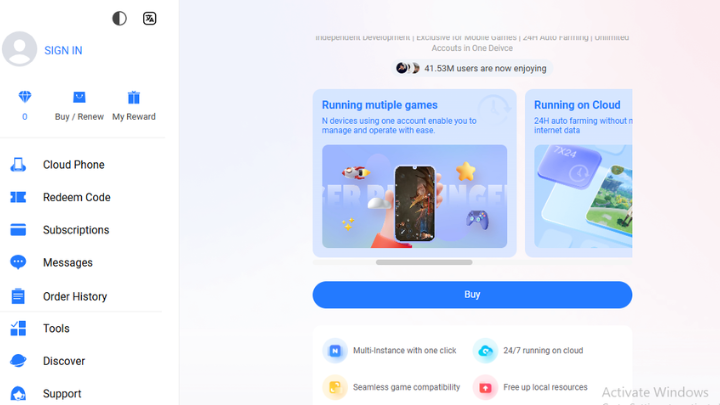
Redfinger is a 100% native Android emulator on the cloud server. It provides a virtual phone that you can use on any device just by logging into Redfinger. You can play Snake Clash or other cloud gaming apps 24/7. Alongside gaming, you can use it for live streaming, entertainment, social media marketing, smart hosting, or any other purpose.
Let's discuss the three basic steps to play Snake Clash online through Redfinger.
Step 1: Signup for Redfinger
Visit Redfinger's official website to create a new account.
You can download the Windows client and Android APK version from the official website or get the app directly from the Play Store. Then, create an account using a valid email address.
Apple users can directly access Redfinger through the official website. Visit the Redfinger website using a browser like Chrome, Safari, or Firefox. Then, click “Try Redfinger Now” and create a new account with your Google, Facebook, Line account or a valid email.
Step 2: Download Snake Clash on Your Redfinger Cloud Phone
Login to your Redfinger cloud phone. Find Play Store and log in to it using your Gmail. If you don’t have a Gmail account, create a new one. Then, search “Snake Clash” on the Play Store. Find the app and click Install.
Step 3: Set it up and Start Playing
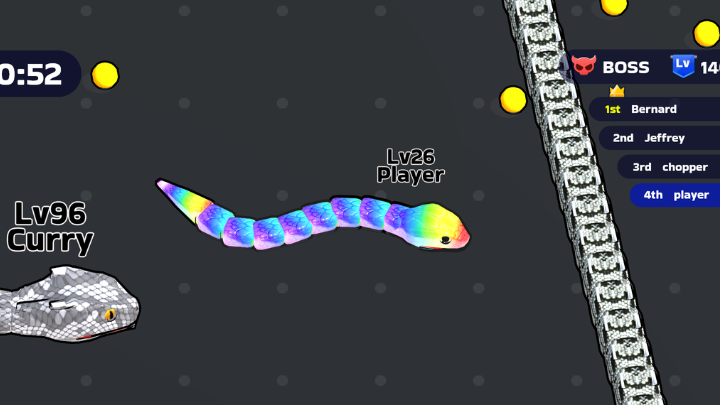
Snake Clash is a contemporary version of the original snake game. This game offers quick entertainment through many exciting challenges at a rapid pace. Players must demonstrate speed, intelligence, and creative thinking to secure victory.
Redfinger Cloud Phone is an excellent tool for an unlimited Snake Clash experience. It allows instant play without restrictions regarding storage capacity or battery consumption across all locations. Plus, it offers exclusive benefits to new and existing users. So complete your Redfinger sign-up today and get a 6-hour free trial.
Snake Clash is a modern, fast‑paced take on the classic snake idea. You grow by eating, trap rivals, and chase leaderboard ranks. It’s easy to learn, hard to master. The game has 1B+ installs and sits around a 4.5–4.6 rating on Google Play, which explains the huge player pool and quick matches. If you want stable sessions on low‑end devices, a cloud phone lets you play longer without heat or battery concerns.
Keep your head safe first. Hug the map edge for the opening 60–90 seconds, stack food, then swing inward to punish risky dives. Use short boosts only to finish a trap; long boosts waste mass. Aim for 2–3 safe picks per minute and avoid crossing big snakes head‑on. Save one escape lane before any turn. These small habits raise survival time by several minutes and convert to steady rank gains.
Enter with full control: clear small snakes first, then circle wider to limit the boss’s space. Time boosts after the boss over‑turns; do not boost into a straight line. If your mass is low, bait the boss to chase through tight lanes and counter‑cut. Practice three patterns for 10 minutes each: circle trap, lane bait, and S‑switch. Simple drills build muscle memory and reduce panic in late waves.
Yes. Two routes work well: (1) a cloud phone that streams the Android session to your browser/desktop, or (2) a local emulator. With Redfinger cloud phone, the game runs in the cloud so your local CPU/GPU stays cool, and device swaps are instant. On café Wi‑Fi or hotel networks, this setup is handy. Keep bandwidth above 5 Mbps and turn off background sync to reduce input delay.
Inline image alt: snake clash on redfinger cloud phone – play Snake Clash on PC with stable connection
Play the opponent, not the field. Watch head direction and turn rhythm; most players boost for 0.5–1.0 seconds before a cut. Fake a lane, then snap back to close the trap. In crowds, farm near the largest snake but never take the first bait. Rotate camera angle less; instead, stabilize your path and let others over‑steer. Aim for 3 clean traps per match rather than flashy but risky moves.
There’s an offline mode for flexible play, which is great for practice and short breaks. Use it to test skins, turning arcs, and boost timing. Expect AI behaviors that differ from human lobbies, so don’t over‑fit. When you go online again, warm up with one practice loop to adjust. If your region has unstable networks, a cloud session helps keep the game state persistent between hops.
Skins don’t add stats, but visibility matters. Pick high‑contrast colors so your head and tail are easy to track in cluttered fights. Avoid patterns that blend into common map tones. Change skins per map theme if possible. A clear visual line cuts decision time by fractions of a second, which is often the difference between escaping a trap and losing a 10‑minute run.
Redfinger keeps your Snake Clash session running in the cloud, so your local phone can rest. It’s useful for long farming, rank climbing at lunch breaks, or switching from phone to laptop. New users can try a 6‑hour free trial to test controls and stability before paying. If it fits your routine, upgrade a plan for more storage and sustained sessions.
Players should focus on collecting as many food items as possible to grow their snake while avoiding collisions with other players. Strategically using speed boosts and trapping opponents can help players gain an advantage.
The leaderboard ranks players based on the length of their snake and the number of opponents eliminated. Higher scores come from staying alive longer, consuming more food, and outmaneuvering rivals.
You can download Snake Clash APK online from websites like APKPure, APKDone, etc. There are several other online websites that provide APK versions of games. Always download the APK version from trusted websites and follow the necessary precautions, such as using antivirus software, etc., to stay safe.
Conclusion:
If you want smoother matches, less battery drain, and fast device switching, run Snake Clash on Redfinger via cloudemulator.net. Start the 6‑hour free trial to check stability and controls, then pick a plan when you’re ready to push leaderboards and grind safely. Redfinger remains our top choice for reliable, always‑available cloud play.
Try the best Android emulator to unleash the potential of your apps and cloud games across all platforms.
GET STARTED