A cloud phone runs on a remote server. It never sleeps.
Heavy apps can damage your hardware over time. Cloud phones move the load away from your device.
Managing multiple accounts requires strict safety. Cloud phones offer "Clean Room" environments.
Your virtual phone is not tied to one screen. You can access it from anywhere.
Top 5 Android Cloud Phone Providers in 2026 (Full Review)
Below we provide a detailed review of the best Android cloud phone providers available in 2026.
1. Redfinger - Best Overall for Versatility
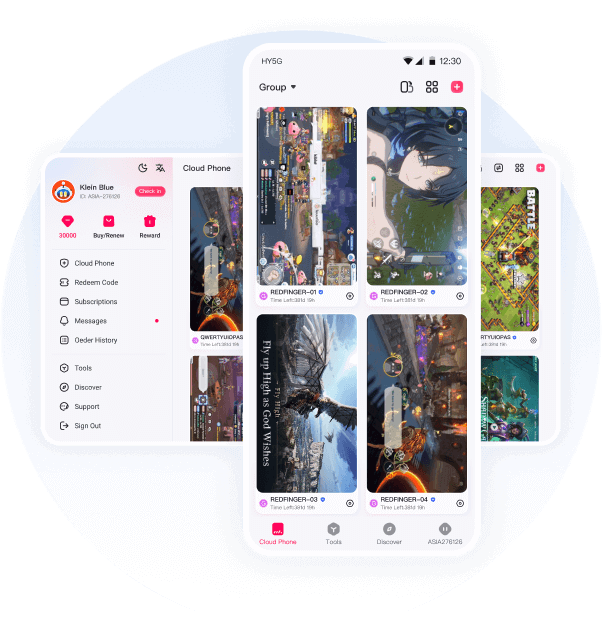
As a leading contender for the in 2026, Redfinger provides a fully hosted virtual Android phone environment that operates independently of local hardware.
Key Features
- 24/7 Persistent Hosting: Redfinger provides a virtual Android system. It runs on remote servers. Your apps stay online even if you turn off your phone. This ensures 24/7 operation for all your tasks.
- Seamless Cross-Platform Access: You can access your cloud phone from any device. It works on Windows, macOS, Android, and iOS. You can also use a web browser. Switch between devices instantly without losing your progress.
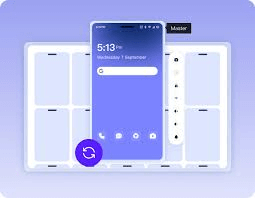
- Efficient Multi-Instance Management: Run many cloud phones at the same time. You only need one account to manage them all. This feature helps you automate workflows. It is perfect for managing multiple social media or game accounts.
- Global Server Stability: We have data centers in the US, Singapore, and Taiwan. These locations ensure a fast and stable connection. You will experience low latency and consistent performance worldwide.
- Scalable Subscription Plans: Choose from VIP, KVIP, SVIP, or XVIP plans. Each tier offers different performance levels. You can easily upgrade your resources as your needs grow. Pick a plan that fits your budget and goals.
Pros
-
Redfinger delivers reliable 24/7 uptime. It is well suited for long-running applications such as game AFK farming, automated scripts, and continuous social or e-commerce account operations.
-
The platform’s broad system compatibility ensures that users can access their cloud phone across multiple operating systems without needing separate configurations.
-
Instance-level isolation helps reduce the risk of account association. This point is especially important for users managing multiple identities or regional accounts.
-
Compared with enterprise-focused solutions, Redfinger offers strong performance at a relatively accessible price point. So it is attractive to both individual users and small teams.
Cons
- Redfinger depends on remote access. All your interactions require a stable internet connection. You also need a fast connection for smooth operation. This is especially true for real-time gaming. It is also important for video-based applications.
- Although a free trial is available, the trial duration is limited. It may not be sufficient for users who want to conduct extended performance testing before subscribing.
Best For: Gamers, automation pros, and cross-border marketers.
2. VMOS Cloud - Best for Hardcore Gamers and Technical Users
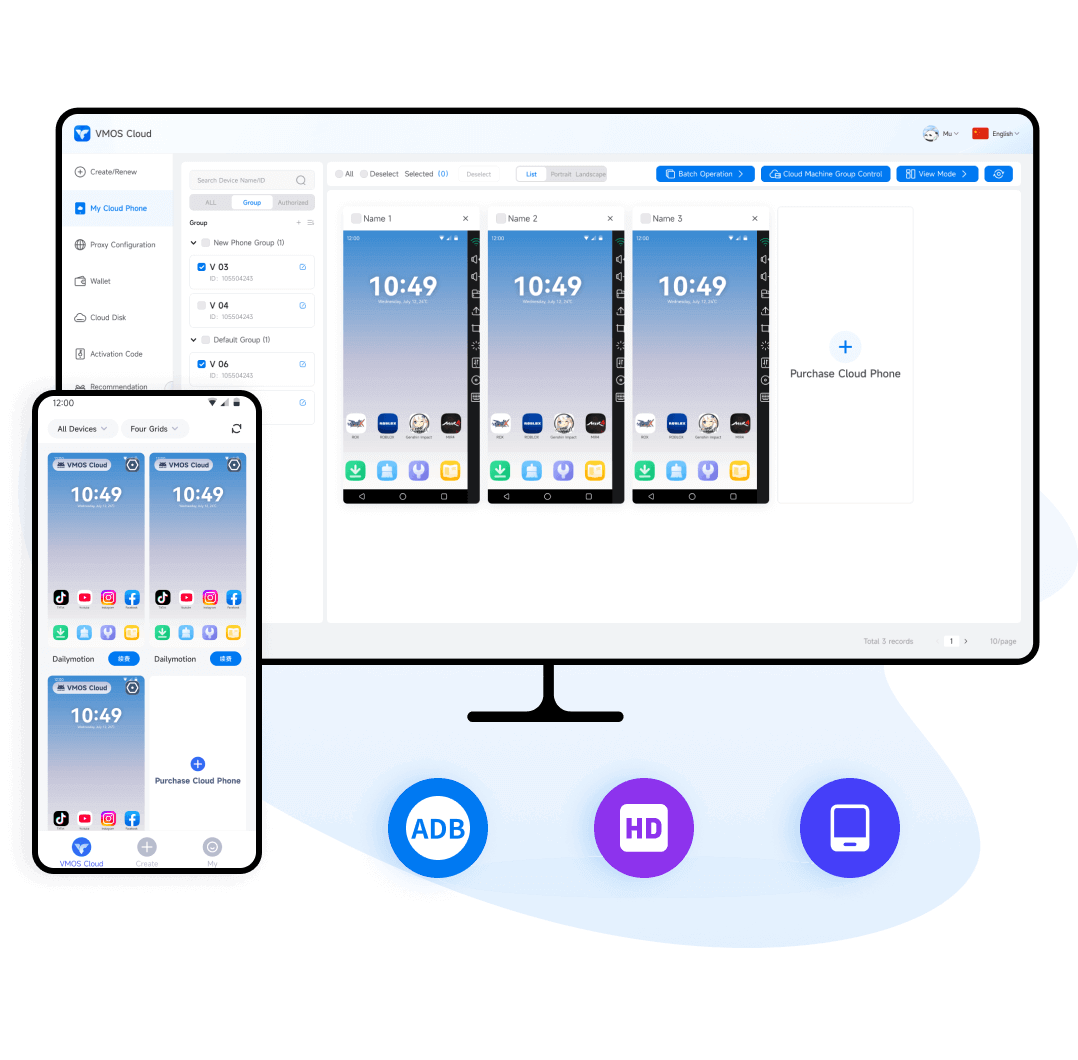
VMOS Cloud provides scalable Android cloud devices. It offers flexible rental models for different needs. This service is a great option for running many virtual phones at once. It is also well-suited for teams working on automation tasks. Large-scale environments can benefit from its ability to host many cloud devices efficiently.
Key Features
-
Advanced System Customization: The platform provides highly customizable Android environments with optional root access. This enables power users to modify system-level settings and install specialized frameworks for advanced operations.
-
Large-Scale Multi-Instance Support: Users can run multiple virtual devices at the same time. This makes the service a great choice for large-scale app testing. It is also perfect for complex automation. You can easily manage parallel gaming environments with one account.
-
Configurable Hardware Profiles: The service features adjustable hardware parameters. You can fine-tune performance profiles easily. This allows you to meet the specific technical needs of different apps. It also helps you optimize settings for high-demand games.
Pros
-
Root access and system-level customization make VMOS Cloud particularly appealing to power users, developers, and gamers who need advanced control over their virtual devices.
-
The ability to run multiple cloud phones at the same time supports complex workflows such as multi-instance testing or large-scale automation.
-
VMOS Cloud integrates well with external automation tools. This enhances its usefulness in technical and experimental scenarios.
Cons
- The platform has a steeper learning curve. It is more complex than basic consumer cloud phones. This might discourage some beginners.
- Pricing increases as you add more devices. Costs also rise if you choose higher resource settings. These factors make long-term costs higher for large deployments.
Best For: E-commerce teams, advertising agencies, and professional account managers.
3. MoreLogin Cloud Phone- Best for Business and Account Safety
MoreLogin’s cloud phone is part of a larger enterprise suite. It focuses on professional multi-account management. This service is different from consumer cloud phones. It emphasizes anti-detect features and profile templates. It also offers advanced automation tools. These features make it ideal for e-commerce and advertising. It is also a top choice for marketing teams.
Key Features
-
Enterprise-Grade Anti-Detect Technology: The platform integrates advanced fingerprint management with cloud Android devices. It aims to provide a professional environment specifically designed for secure enterprise and multi-account use cases.
-
Isolated Profile Management: Users can generate distinct virtual profiles with unique hardware fingerprints. It effectively minimizes the risk of account linkage across major advertising, e-commerce, and social media platforms.
-
API Integration and Workflow Automation: The service supports robust API integration to facilitate automated processes. It enables businesses to manage large-scale account portfolios efficiently within highly structured professional workflows.
Pros
- MoreLogin places a strong emphasis on security. It offers excellent identity isolation for its users. This makes it a great fit for businesses with sensitive accounts. It is also ideal for those working in compliance-heavy environments.
- The platform includes built-in profile management. It also provides useful templating tools. These features improve efficiency for large teams. They help you manage dozens or even hundreds of cloud phone instances easily.
- Its architecture is unique. It is designed to minimize detection risks. This is critical for cross-border marketing. It is also essential for professional account management.
Cons
-
Pricing is relatively high compared with consumer-focused cloud phone solutions, which may not be cost-effective for casual users.
-
The feature set may feel excessive for individuals who only require basic cloud phone functionality.
Best For: IT support and managing personal phone farms.
4. BlueStacks X Cloud- Best for Lightweight App Use
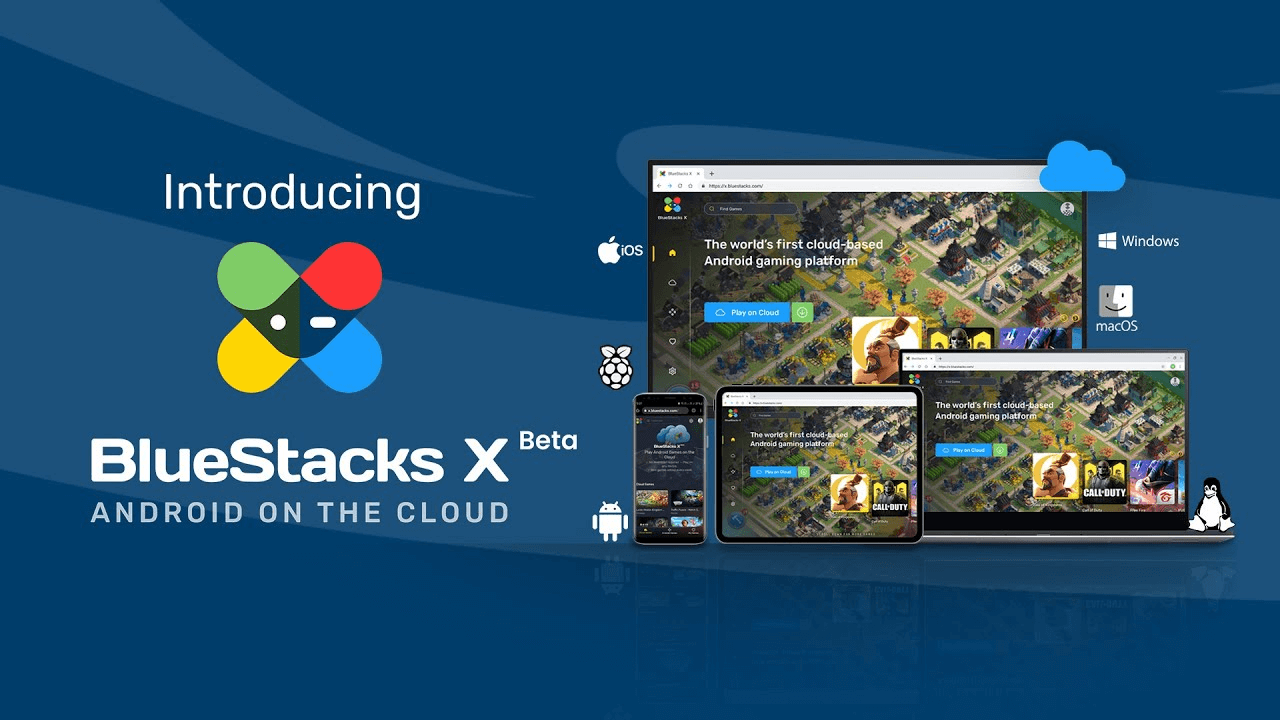
BlueStacks X Cloud extends the BlueStacks emulator experience into the cloud. It provides lightweight access to Android apps directly through a web browser. It’s simple and easy but does not offer full 24/7 runtime or dedicated cloud phone features.
Key Features
-
AI-Based Hybrid Cloud: The platform uses AI to dynamically switch between cloud streaming and local play. This ensures the best performance for every game.
-
Instant Browser Play: Users can stream over two million Android games instantly via a web browser. So it eliminates the need for downloads or local storage.
-
Cross-Device Continuity: The service supports seamless gameplay across Windows, macOS, iOS, and Android. It allows users to maintain progress on any device.
-
Hardware Efficiency: By running games in the cloud, it enables low-spec devices to enjoy high-end mobile titles without overheating or battery drain.
-
Exclusive Reward Access: Beyond gaming, the platform offers a vast library of titles coupled with exclusive in-game rewards and specialized performance tools.
Pros
-
Extremely easy to use, with minimal setup required.
-
Compatible with nearly any device that supports a modern web browser.
Cons
-
BlueStacks X does not provide true 24/7 cloud phone operation, which limits its usefulness for automation or long-running tasks.
-
Multi-account and instance isolation features are limited compared with dedicated cloud phone platforms.
Best For: Casual gamers who don't want to install software.
5. AirDroid Cloud- Best for Remote Access to Physical Devices
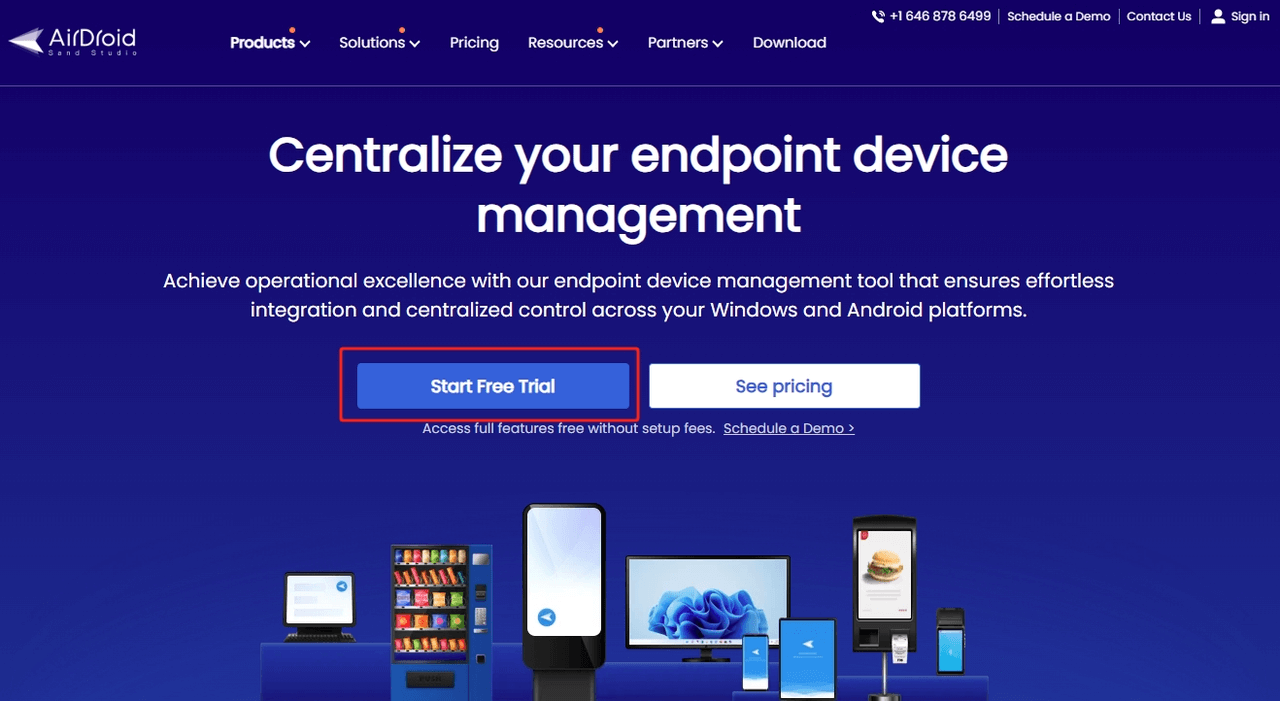
AirDroid provides remote access and control of Android devices. While it is not a full cloud phone provider in the traditional sense, its cloud remote tools allow you to operate and manage devices from anywhere.
Key Features
-
Cross-Device Remote Access: AirDroid lets you control your Android phone from a PC or another mobile device. You just need to sign into the same account. You can open apps, reply to messages, and change settings remotely. This feature is perfect for managing devices without touching them physically.
-
File Transfer and Management: Transfer files between your phone and computer without a USB cable. You can upload or download photos, videos, and documents quickly. It works wirelessly over local or remote networks. This makes file management simple and clutter-free.
-
Notification and SMS Management: Receive all your phone notifications directly on your computer. You can read and reply to SMS messages using your desktop keyboard. This helps you stay focused on your work without checking your phone constantly.
-
Real-Time Remote Support: AirDroid Remote Support is built for troubleshooting. It includes screen sharing and voice chat features. You can guide others or fix issues on remote devices instantly. It works for both attended and unattended devices.
Pros
-
Useful for IT support, device monitoring, and remote troubleshooting scenarios.
-
Provides convenient access to personal or corporate devices from anywhere.
Cons
-
AirDroid does not offer a fully hosted Android cloud phone with guaranteed 24/7 uptime.
-
Continuous operation still depends on the availability and power state of the physical device.
Best For: IT support and managing personal phone farms.
Android Cloud Phone Comparison Table (2026)
| Provider |
True Cloud Phone |
24/7 Runtime |
Multi-Device Support |
Best Use Case |
| Redfinger |
✔ |
✔ |
✔ |
Automation, Games, Business |
| VMOS Cloud |
✔ |
Partial |
✔ |
Teams, Automation |
| MoreLogin Cloud |
✔ |
✔ |
✔ |
Enterprise & Anti-Detect |
| BlueStacks X Cloud |
❌ |
❌ |
Browser |
Casual gaming |
| AirDroid Cloud |
❌ |
❌ |
Mirror only |
Remote control |
How to Choose the Best Cloud Android Phone
When selecting an Android cloud phone, consider:
1. Your Primary Use Case
Different providers excel in different areas. Redfinger is versatile, while others focus on enterprise or browser access.
2. Runtime Needs
If you need true 24/7 uptime (e.g., for bots or long-running tasks), choose services that explicitly support continuous access.
3. Platform Accessibility
Make sure the provider supports the devices you use — Windows, macOS, Android, or iOS.
4. Security and Isolation
Cloud phones that run in isolated environments can help protect sensitive data and prevent local device exposure.
Real User Reviews
To help you decide, we analyzed hundreds of reviews from 2025 and 2026 across major tech communities.
| Provider |
Core Feedback (2025-2026) |
Verified Source (Link/Origin) |
| Redfinger |
"The most stable platform for 24/7 gaming like Night Crows. It never lags during AFK farming, but the premium XVIIP plans are a bit expensive." |
Google Play Store Reviews |
| VMOS Cloud |
"Excellent for advanced users who need Root access and custom ROMs. However, setting up the virtual machine on Android 15 can be complex for beginners." |
Reddit - r/EmulationOnAndroid
|
| MoreLogin |
"Ideal for e-commerce and affiliate marketing. Its anti-detect technology effectively prevents account linkage on platforms like TikTok and Amazon." |
G2 Software Reviews
|
| BlueStacks X |
"Perfect for quick, no-install browser play. However, it lacks true 24/7 background automation and shows too many ads in the free version." |
Trustpilot - BlueStacks
|
| AirDroid |
"Great for remote file management and notification syncing. It is very reliable for helping family members troubleshoot their phones from a distance." |
Apple App Store - AirDroid
|
Conclusion
Selecting the best Android cloud phone in 2026 depends on aligning specific features with your professional or gaming goals. For the vast majority of users, Redfinger provides the most reliable balance of high-performance uptime, cross-platform compatibility, and cost-effective subscription tiers. Whether you are scaling an e-commerce business or seeking a persistent cloud Android environment for AFK farming, investing in a top-tier provider remains the most efficient way to stay online 24/7. Ready to boost your digital productivity? Try Redfinger today and experience why it continues to lead the market in cloud mobile technology.
FAQs
Are Android cloud phones safe for my data?
Reputable providers like Redfinger use cloud isolation to keep your local device secure. However, always use a strong password and choose providers with a track record of security.
Can I play high-performance games like Genshin Impact?
Yes, but you should choose a high-tier plan (like Redfinger XVIP) that offers dedicated GPU resources and ensures you have a stable internet connection.
Does it use my local data?
Only to stream the screen to you. The heavy lifting—downloading games and running apps—happens on the cloud server, saving your local storage and data.
What is the best cloud Android phone for AFK farming in 2026?
For long-term AFK farming in MMORPGs, the best Android cloud phone is one that guarantees 24/7 uptime and stable performance. Redfinger remains a top choice due to its server stability and specific gaming-optimized plans (like KVIP/XVIP), allowing your games to remain online even when your physical device is offline.
How do I ensure low latency on my virtual Android device?
To achieve the best cloud Android phone's performance, select a provider with data centers close to your physical location. For example, Redfinger’s global nodes in the US, Singapore, and Taiwan ensure that users experience minimal lag, which is critical for real-time gaming and responsive app testing.